20 Digital Product Ideas for People Starting From Zero
A digital product is something you make once and sell over and over — a PDF, a template, an audio file, a piece of software. No shipping, no inventory, no printer running out of ink at 11pm. Once it’s built, selling the hundredth copy costs almost nothing extra.
Below are 20 ideas worth considering, what problem each one actually solves, and roughly how you’d go about making it. Quick overview first :
| Digital Product | Who Buys It | Barrier to Entry | Software Used |
|---|---|---|---|
| Ebooks and short guides | General readers wanting a specific answer | Low | Google Docs, Canva |
| Online courses | People wanting to learn a skill in depth | High | Zoom/Loom to record, Kajabi or Teachable to host |
| Stock photos and video clips | Marketers, designers, content creators | Medium | Camera or phone, Lightroom |
| Printables | Home organizers, parents, planner users | Low | Canva |
| Notion templates | Productivity-focused professionals, students | Low | Notion |
| Canva templates | Small business owners, content creators | Low | Canva |
| Resume and cover letter templates | Job seekers | Low | Canva, Google Docs |
| Lightroom and Photoshop presets | Photographers, Instagram creators | Low (if you already edit) | Lightroom, Photoshop |
| Digital planners (GoodNotes) | Tablet users, digital note-takers | Medium | Canva, GoodNotes |
| Spreadsheet tools | Budgeters, freelancers, small business owners | Medium | Google Sheets, Excel |
| Fonts and design assets | Designers, other creators | High | Illustrator, Glyphs or FontForge |
| Workbooks for coaches or teachers | Coaching and teaching clients | Medium | Canva, Google Docs |
| Social media templates | Small business owners, social media managers | Low | Canva |
| Sound effects and audio loops | Podcasters, YouTubers, video editors | Medium | Audacity, GarageBand or Logic Pro |
| PLR and resell-rights bundles | New sellers wanting a fast start | Low (buying, not building) | Canva to relabel |
| Presentation and pitch deck templates | Freelancers, startups, agencies | Medium | Canva, PowerPoint, Kittl |
| Business forms and contract templates | Service-based professionals | Low | Canva, Google Docs |
| Branding kits | New small business owners | Medium | Canva, Illustrator |
| Paid live workshops | An existing audience wanting one specific skill | Medium | Zoom |
| Membership or subscription programs | Existing customers wanting ongoing support | High | Kajabi, Podia, or Circle |
What actually makes something a “digital product”
If a customer downloads it, streams it, or gets access to it — instead of it showing up in a box — it’s a digital product. Templates, ebooks, presets, audio files, courses, and software all count. The value is in the file or the access, not in anything physical changing hands.
Digital Product ideas:
1. Ebooks and short guides
Package something you actually know into a PDF. Specific ones sell better than broad ones — a 2-week meal plan for batch cooking on a $50 grocery budget will outsell a general guide to “being more productive” every time. Outline the problem you’re solving chapter by chapter, write it, export as a PDF, and sell it through Gumroad or your own link.
2. Online courses
The biggest lift on this list — filming, editing, structuring lessons — but also the highest price point buyers will accept. Worth it if you have something to teach that people are already paying for elsewhere, since that’s a sign the demand is real. Start by outlining the transformation a student gets by the end, then build the lessons backward from there.
3. Stock photos and video clips
If you already shoot photo or video, licensing it turns work you’ve already done into ongoing income. Upload your work to marketplaces like Adobe Stock or Shutterstock and keyword each file based on exactly what it shows. Use specific, relevant keywords instead of generic terms, so buyers can easily find your content. Keep uploading consistently, build a strong catalog, and let your collection generate sales over time.
4. Printables
Planners, checklists, wall art, worksheets, party invitations — anything meant to be downloaded and printed at home. This is the most crowded category on this list; Etsy shops with 700+ printable listings are common. If you want in anyway, don’t go broad — pick a narrow, specific niche (a particular aesthetic, a particular life stage, a particular hobby) and bundle several designs together rather than listing one generic item at a time.
5. Notion templates
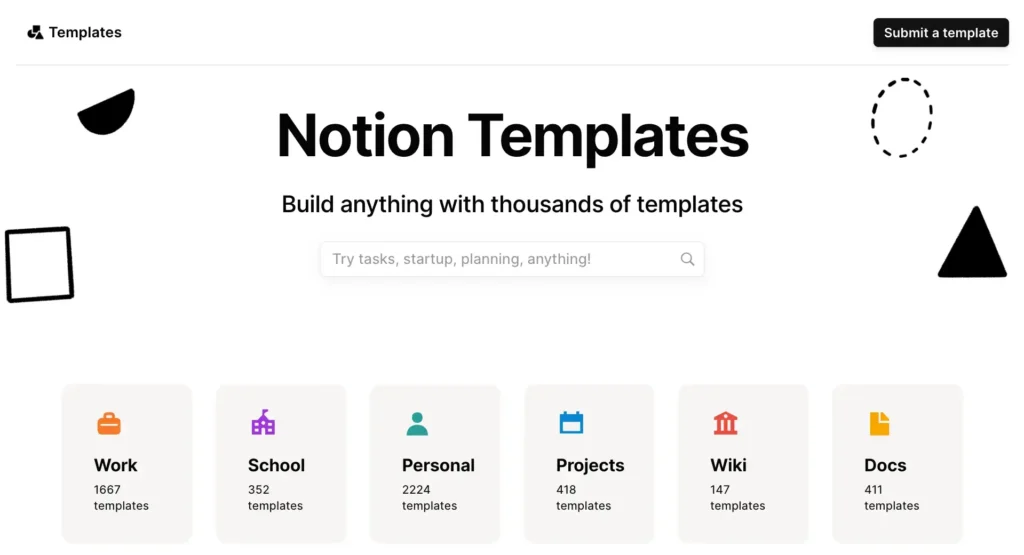
Planners, trackers, dashboards, and “second brain” systems built entirely inside Notion. Solves the problem of wanting an organized system without building one from scratch. No design software needed — build it directly in Notion, duplicate it into a shareable template link, and sell access to that link.
6. Canva templates
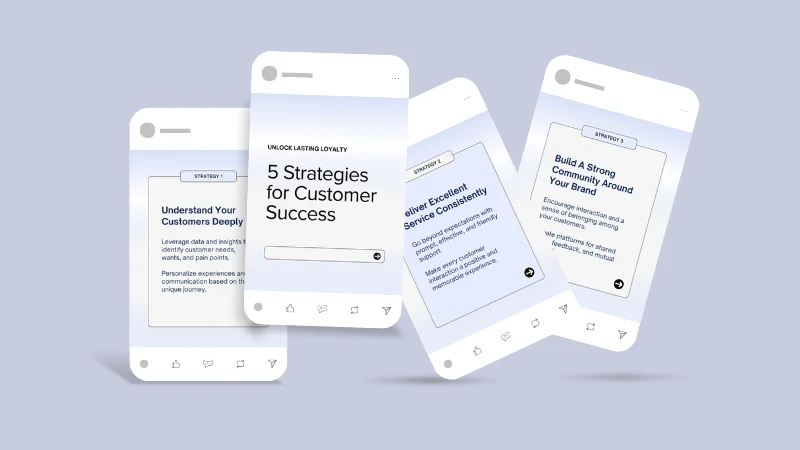
Instagram carousels, wedding invitation sets, presentation decks — built for people who want something that looks designed without hiring a designer. Canva’s free plan covers everything you need to build these: unlimited designs, 5GB storage, a large template and photo library. Picking up Canva for the first time? I’ve covered some other beginner-friendly AI tools too.
7. Resume and cover letter templates
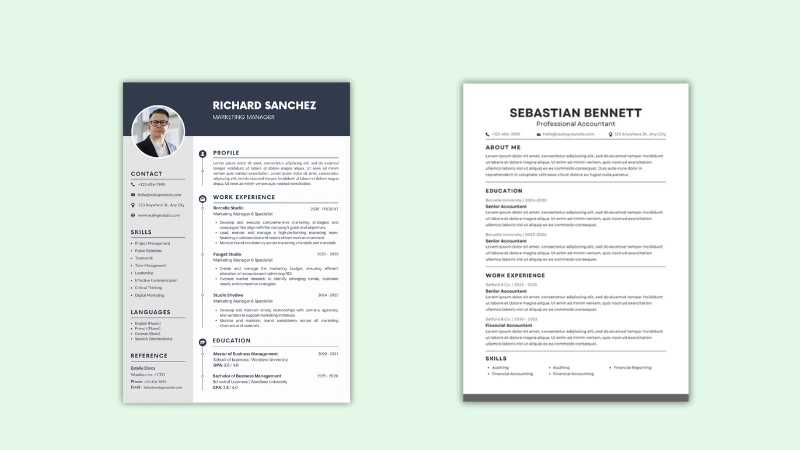
Steady demand that never goes away, because people apply for jobs constantly. Build a clean, ATS-friendly layout in Google Docs or Canva — not glamorous, but it solves a real, recurring problem.
8. Lightroom and Photoshop presets
If you already edit your own photos a certain way, presets package that exact look into a one-click file other people can buy. Export the settings you’ve already created rather than building something new — the barrier to entry here is low. This idea is about selling the preset, not the editing itself — if you’re still working out how to edit photos well in the first place, I’ve rounded up the AI photo editing tools worth trying here.
9. Digital planners for GoodNotes or Notability
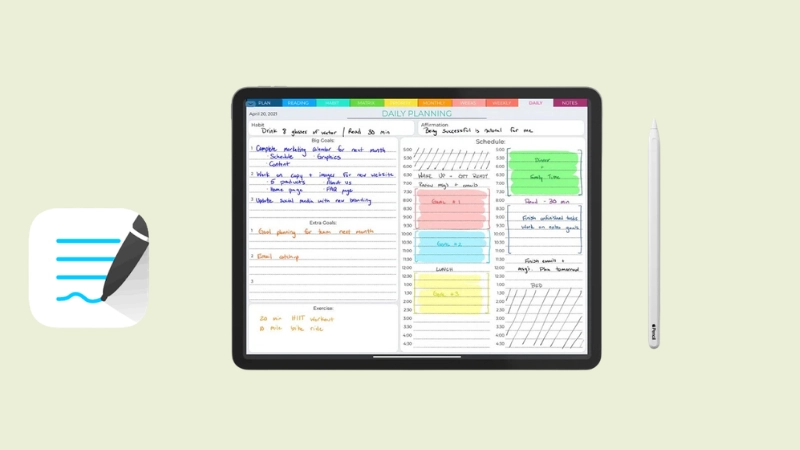
Different from printables — these are built to be used digitally, with clickable tabs and hyperlinked pages, inside apps like GoodNotes on an iPad. Solves the same organization problem as a paper planner, for people who’ve gone fully digital. Less saturated than paper printables right now.
10. Spreadsheet tools
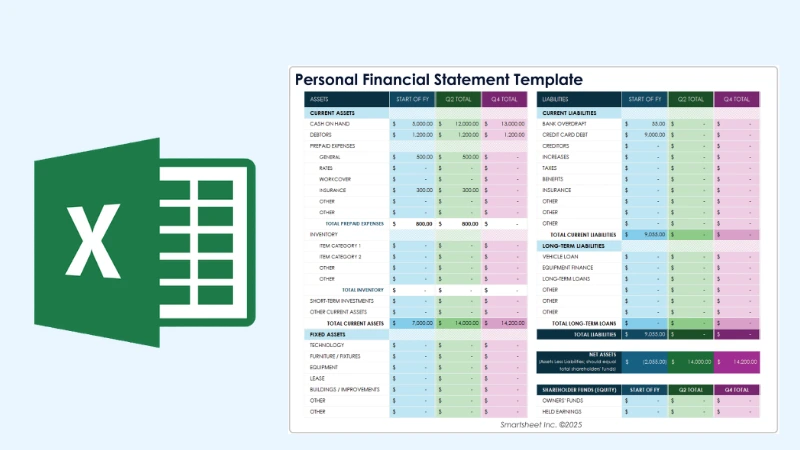
Budget trackers, invoice templates, content calendars — built in Google Sheets or Excel with real formulas doing the work, not just a pretty layout. Solves an actual task rather than just looking nice, which makes it easier to justify the price.
11. Fonts and design assets
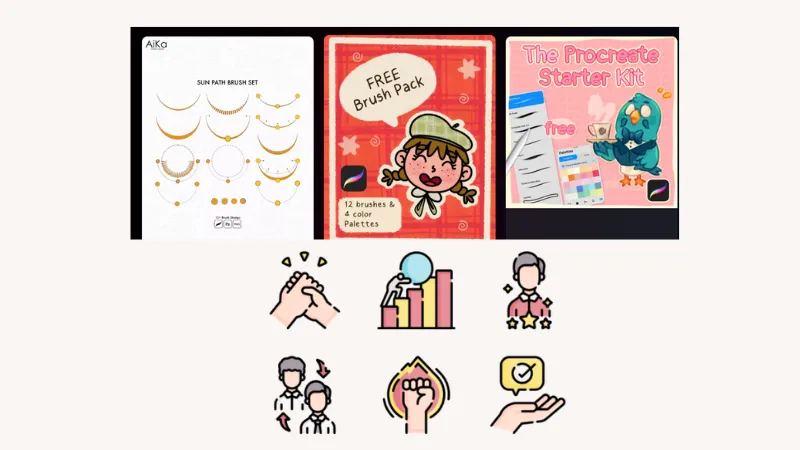
Custom fonts, icon sets, brush packs for Procreate. Narrower audience than most items here — mostly other designers and creators — but that audience knows exactly what they want and pays for quality without much convincing.
12. Workbooks and worksheets for coaches or teachers
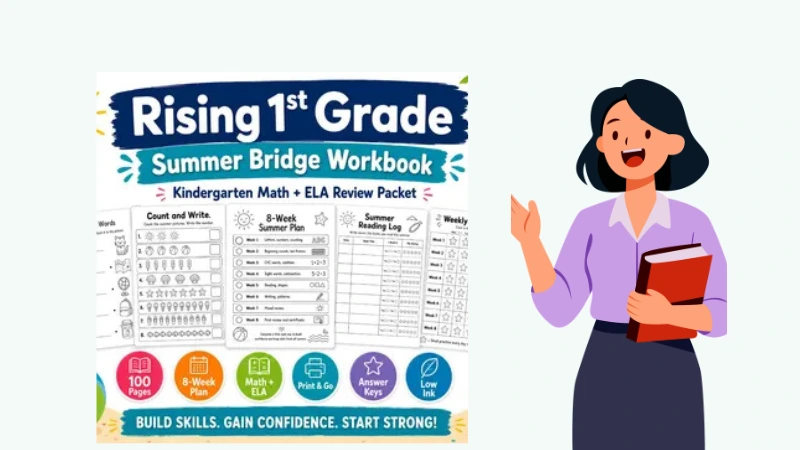
If you coach, tutor, or teach in any capacity, the materials you’ve already built for one-on-one work can usually be cleaned up and sold as a standalone product to people who can’t afford one-on-one time with you. Solves the problem of wanting your expertise without the price tag of your time.
13. Social media templates
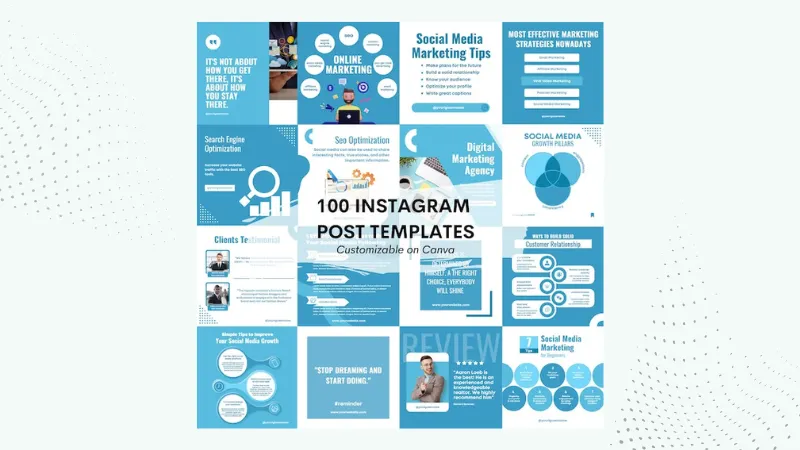
Story templates, highlight covers, carousel layouts for small businesses who post but don’t want to design from scratch each time. Same Canva-based approach as the templates above, but sold specifically to business owners rather than consumers.
14. Sound effects and audio loops
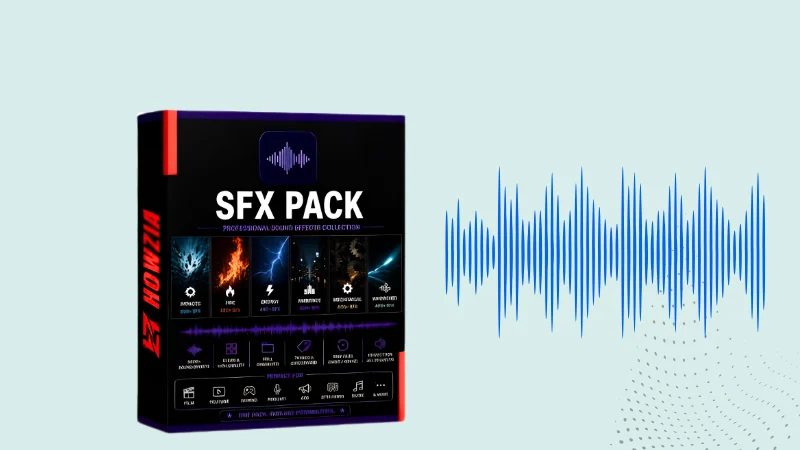
Podcasters, YouTubers, and video editors need transition sounds, background loops, and effects. If you have any audio production background, this is a narrower, quieter corner most “digital product idea” lists skip — worth a look if you’re already producing audio for other reasons.
15. PLR and resell-rights bundles
Some sellers offer “done for you” digital products with resell rights, meant to be relabeled and resold. Can be a fast way to get a shop started, but quality varies a lot. If you go this route, actually open and review what you’re buying before you list it — don’t resell something you wouldn’t want yourself.
16. Presentation and pitch deck templates
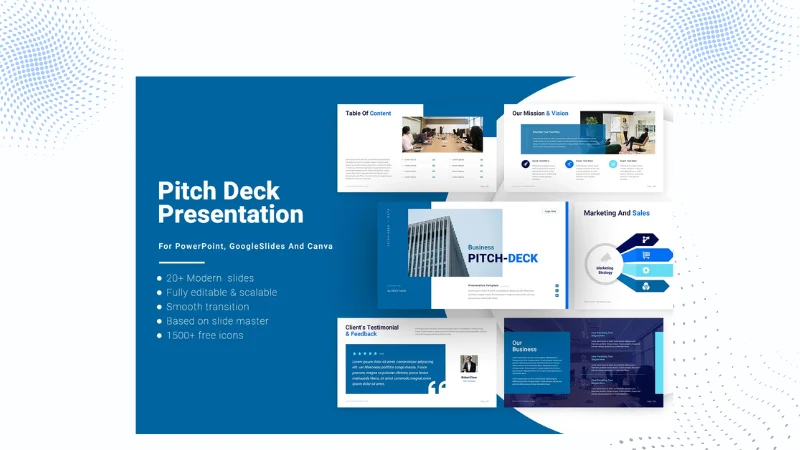
Slide decks for businesses, freelancers, and agencies to pitch clients, investors, or sponsors — customers swap in their own branding and content instead of starting from a blank deck. Solves a real, recurring professional need, and business buyers tend to be easier to sell to since there’s a clear return on their purchase.
17. Business forms and contract templates
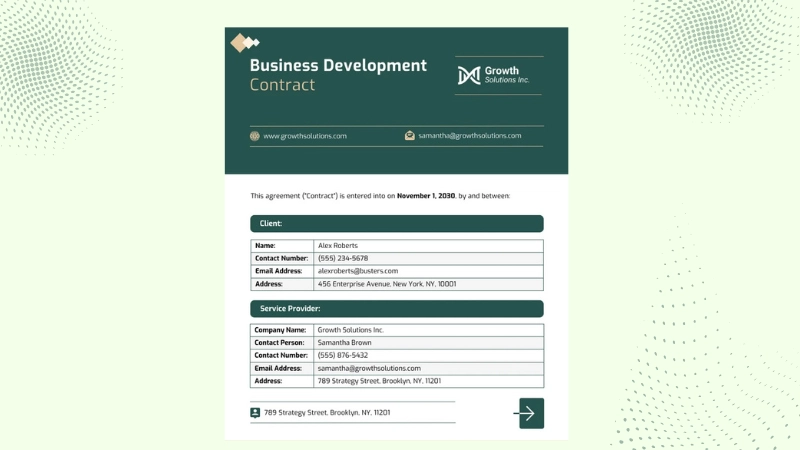
Client intake forms, questionnaires, invoices, proposals, onboarding and booking forms — built for specific professions such as therapist, wedding planner, social media manager, virtual assistant. Quick to make, usually just one to three pages. One caution: if you’re selling contract templates, you’re selling design and layout, not legal advice — say so plainly in the listing, and note that buyers should have anything legally binding reviewed by an actual professional.
18. Branding kits
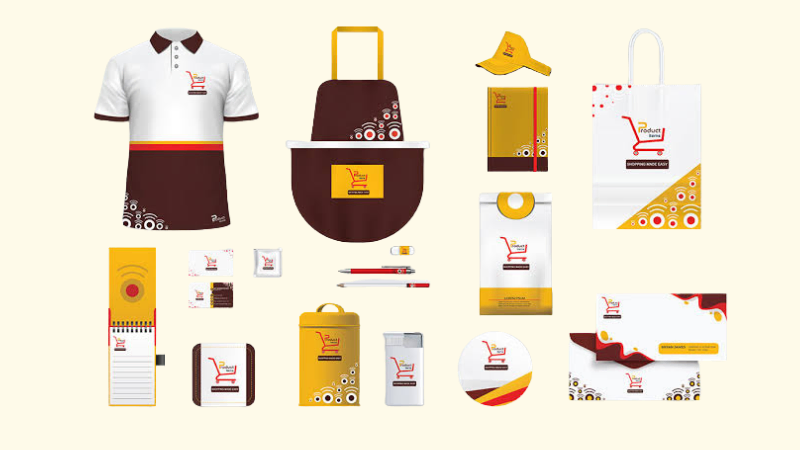
Create a simple branding package with a logo, social media banners, business cards, email signatures, and highlight covers that all match. It gives new small businesses an easy way to look professional and consistent without spending a lot of money on a designer..
19. Paid live workshops

A single 1-hour session teaching one specific skill to a small group, run live over Zoom, replays sent afterward. Worth flagging that this doesn’t fully fit the “build once, sell forever” idea the rest of this list uses, since you have to show up and teach it live each time — think of it as a smaller, faster way to test whether people will pay you to teach something, before committing to a full course.
20. Membership or subscription programs
Ongoing paid access to a community, live Q&A, and a growing library of content, instead of a one-time purchase. This one’s a scaling move more than a starting point — it works best layered on top of a course or workbook that’s already selling, not as your first product.
Where to actually sell these
Etsy is the default for printables, templates, and planners, mostly because buyers already go there looking. It’s not free: Etsy charges a $0.20 listing fee per item, a 6.5% transaction fee on the total sale, and payment processing of 3% + $0.25 — around 10–11% of a sale gone to fees before you’ve spent a cent on marketing.
Gumroad works better for courses, ebooks, and anything you’d rather sell from your own link than through marketplace search. There’s no monthly fee. Instead, Gumroad takes a flat 10% plus $0.50 from each direct sale. If the sale comes through Gumroad’s Discover feature, the fee is 30%. Gumroad also handles sales tax and VAT collection for you worldwide as of last year, which is worth something if you’re not equipped to deal with that yourself .
Neither platform is completely free, but the fees are pretty simple. You’ll usually keep about 87–90% of each sale after fees. Just keep in mind that your time spent creating and managing the products matters too.
What I’d actually do first
Pick one idea from this list that overlaps with something you already know how to do — not the one with the highest search volume, the one where you’re not starting from zero. Build one version of it this week. List it on Etsy or Gumroad, whichever fits the product better, and see if anyone bites before you build ten more.
If nothing here clicks, I’ve written a broader list of business ideas that isn’t limited to digital products specifically.Digital products are one way into passive income — I’ve written about other passive income methods too, if you want to see how this stacks up.
FAQ
What digital products sell best? Templates — Notion, Canva, and spreadsheet-based — along with printables see the most consistent demand, mostly because they solve one specific problem and cost little to make. High demand also means high competition: printables are the single most crowded category on this list.
What digital products can I sell as a beginner? Printables, Canva templates, and Notion templates are the easiest starting point, since you’re building with tools you likely already use instead of learning new software. Start with one product in a specific niche rather than a broad, generic category.
What is the easiest digital product to create? Printables and Canva templates take the least time to build — usually a few hours in software you already have open. Presets and online courses sit at the other end: presets need an existing photo-editing habit to draw from, and courses need a full curriculum built out before you sell the first one.
What digital products are in high demand in 2026? Digital planners for apps like GoodNotes, spreadsheet-based tools, and business forms built for a specific profession are seeing real demand with less competition than printables or generic templates — mostly because they take more effort to make well.
What is the most profitable digital product to sell? Online courses and membership programs have the highest price ceiling, since buyers are paying for depth and ongoing access rather than a single file. They also take the most time to build, so “most profitable” depends on whether you’re measuring price per sale or return on the hours you put in.
What can I sell to make $1,000? There’s no single product that guarantees that number — it comes down to price times volume. A $20 template needs 50 sales to reach $1,000; a $200 course needs 5. Higher-ticket ideas like courses or workshops need fewer buyers to hit the same total, but take longer to build and sell.